
Mastering Mini War Army Controls: Your Ultimate Strategy Guide for Roblox Conquest
Learn how to effectively manage your forces with this comprehensive guide to Mini War army controls and unit deployment strategies in Roblox.
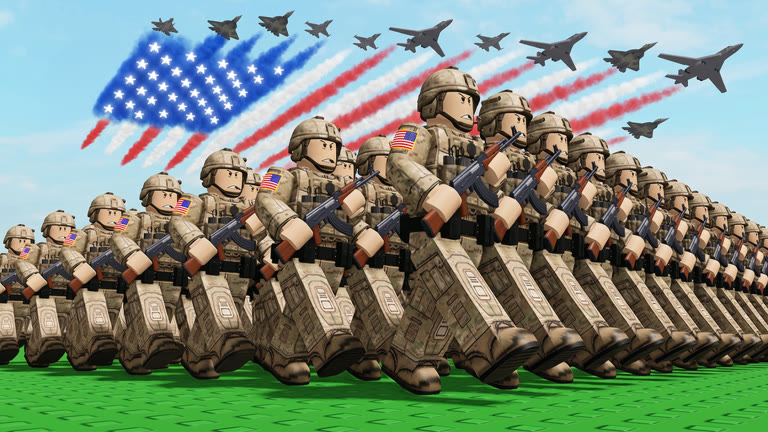 Official mediaLearn how to effectively manage your forces with this comprehensive guide to Mini War army controls and unit deployment strategies in Roblox.YouTube
 Conquering new territories in Roblox’s Mini War requires more than just raw power; you must master your mini war army controls to outmaneuver your opponents effectively. Understanding the interface and how to organize your units is the foundational step for any player looking to dominate the map, as efficient mini war army controls allow you to deploy the right force at the right time.
Understanding the Army Deployment Interface
The user interface in Mini War is designed for quick access, but it can be overwhelming for new players. By focusing on the lower section of your screen, you can locate the dedicated army management slot. This area is where all your strategic planning begins.
Once you click on the "Army" tab, you will see four distinct slots. These represent your available tactical groups. Each slot allows you to curate a specific composition of units, enabling you to tailor your offense based on the land you are currently attempting to conquer.
Key Army Management Functions
| Action | Control/Command | Purpose |
|---|---|---|
| Open Menu | Click "Army" Slot | Access unit organization |
| Edit Units | Press "E" | Add or remove special forces |
| Reset Units | Selection Menu | Clear current unit composition |
| Deploy | Select Slot | Send units to the front line |
Strategic Unit Composition and Scaling
According to community reports, the secret to expanding your empire lies in how you distribute your forces across the four available slots. You should not treat all army slots as identical; instead, specialize them. For instance, you might reserve one slot for high-damage "special forces" units to break through enemy defenses, while another slot could be dedicated to standard infantry for holding captured territory.
Player experience suggests that you should constantly rotate your units. If you find that a specific composition is failing to capture a point, do not hesitate to reset that slot by pressing "E" in the edit menu and swapping in more powerful units. As you progress in the game, your ability to manage these squads becomes the primary factor in your success.
Optimizing Your Tactical Loadouts
When you are building your army, it is important to consider the "cost-to-power" ratio. Adding more units to a single slot increases its overall power level, but it also means you have fewer units available for your other slots.
Recommended Unit Distribution Strategy
| Strategy Type | Army Slot 1 | Army Slot 2 | Army Slot 3 | Army Slot 4 |
|---|---|---|---|---|
| Balanced | Infantry | Infantry | Special Force | Support |
| Aggressive | Heavy Unit | Special Force | Special Force | Infantry |
| Defensive | Support | Support | Infantry | Infantry |
By diversifying your approach, you ensure that you are never caught off guard. If your primary attack force is defeated, having a secondary, well-prepared army in slot three or four allows you to pivot immediately without waiting for a full reset.
Advanced Tips for Territory Conquest
Conquering lands is not just about the number of soldiers; it is about the timing of your deployment. Many players make the mistake of sending all their units at once. Instead, use your mini war army controls to send waves.
If you notice that your current army is struggling to hold a position, it is time to upgrade. You can find more information on how to evolve your gameplay mechanics through the Official Roblox Mini War Wiki to see how technology impacts your unit effectiveness.
Combat Efficiency Checklist
- Always check your slots: Before entering a battle, verify that your "Special Forces" are assigned to the correct active slot.
- Don't over-commit: Keep at least one army slot in reserve to defend your home base while your main force is out on a campaign.
- Monitor your power level: As you add units, watch the total power indicator. Higher power levels generally translate to faster conquest speeds.
- Clear and reset: If you are losing frequently, clear your slots and start fresh with a different unit combination.
Troubleshooting Common Deployment Issues
Sometimes, players report that their units are not deploying as expected. This is usually due to an empty slot or a failure to save the unit composition after pressing "E." Always ensure that after you have added your desired units in the edit menu, you have confirmed the changes before closing the window.
Another common issue involves the "unclaim" function. If you find your units are taking up space in a slot you need for a different strategy, remember that you can manually remove them. This flexibility is what makes the mini war army controls so versatile for high-level competitive play.
Frequently Asked Questions (FAQ)
How do I access the army management screen in Mini War? You can access your army management by clicking on the designated "Army" slot located in the bottom section of your screen. This opens the menu where you can edit, reset, or deploy your units.
What is the best way to use the mini war army controls for beginners? For beginners, it is best to focus on one or two army slots initially. Build a balanced composition in one slot and keep the others as backups. As you get more comfortable, you can start experimenting with different unit types to see which ones work best for specific map terrains.
Why should I reset my units in the army menu? Resetting your units allows you to adapt to changing game conditions. If you are facing a tougher enemy than expected, resetting your slots allows you to reallocate your resources and special forces into a more powerful, cohesive unit.
Can I have more than four army slots? Currently, the game provides four slots for army management. The key to success is maximizing the efficiency of these four slots rather than seeking more. Proper unit division and strategic deployment are the most effective ways to utilize your mini war army controls to conquer more land.
Related Guides
Dominating the Battlefield: The Ultimate Guide to Mini War Helicopters for Total Victory
Master the battlefield in Mini War with our expert guide on deploying mini war helicopters to secure total victory and conquer every server.
Dominating the Mini War AC 130 Update: Ultimate Strategies for Your Military Empire
Master the latest Mini War AC 130 update with our comprehensive guide to maximizing production, building the ultimate city, and dominating the battlefield.
Is the Mini War EMP Cannon the Ultimate Game-Changer? A Complete Strategy Guide
Discover why the new mini war EMP cannon is dominating the battlefield. Get stats, usage tips, and expert strategies for your Roblox Mini War army.
Is the Mini War Null General Worth It? A Complete Breakdown and Stats Guide
Discover if the new Mini War Null General is the right choice for your army. We break down the stats, abilities, and how it compares to the Alien General.